Industry
Renter Reviews & Property Management
One violet for every action, with teal and gold beside it.
Violet #5E3BE1
Teal #2C6675
Gold #FFCE0B
Cream #FFF1DA
Ink #171717
Rated by renters, five ways.
Mission
PropReview came to us to launch a review site where renters rate the property management companies they've rented from, starting in Santa Barbara. The project covers marketing strategy, branding, web design and SEO, with paid ads to follow.
Challenge
Renters pick a home and get a management company they know little about. One star rating can't say whether repairs get done or deposits come back. And a review site only works if renters and companies both trust it.
Process
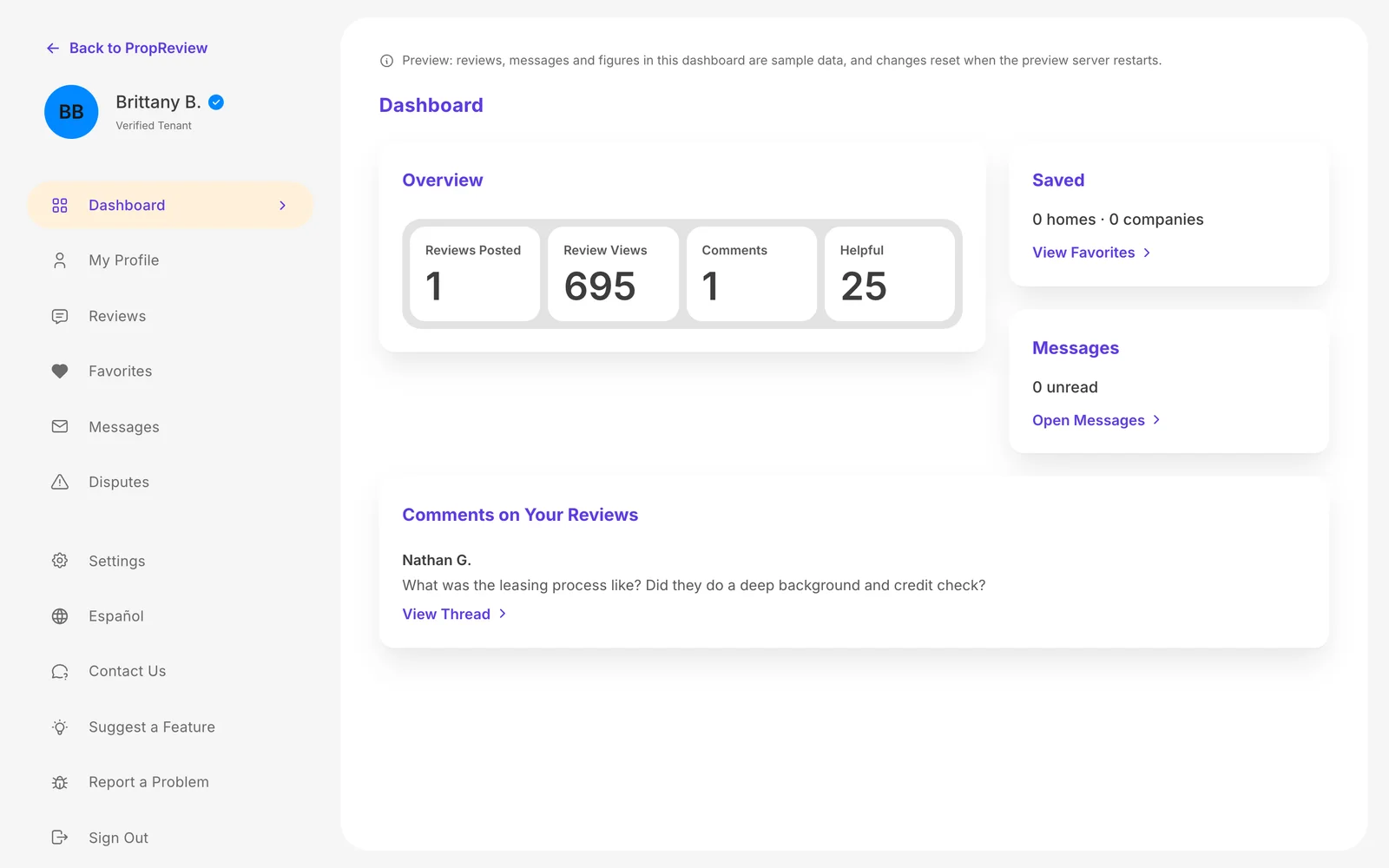
We started with the marketing strategy: who the site is for and how it will reach renters and the companies they rent from. Then the brand: a logo with a house built into the P, a violet chosen for contrast, and teal and gold beside it. Then we designed and built the site, from the homepage and listings renters browse to the dashboards tenants and companies use, with reviews in five parts and ad placements that are labeled and never change a rating. The site works in English and Spanish, and the search groundwork is in place. It is in development now, and the live link comes at launch.
Everything we're building.
Plans and billing
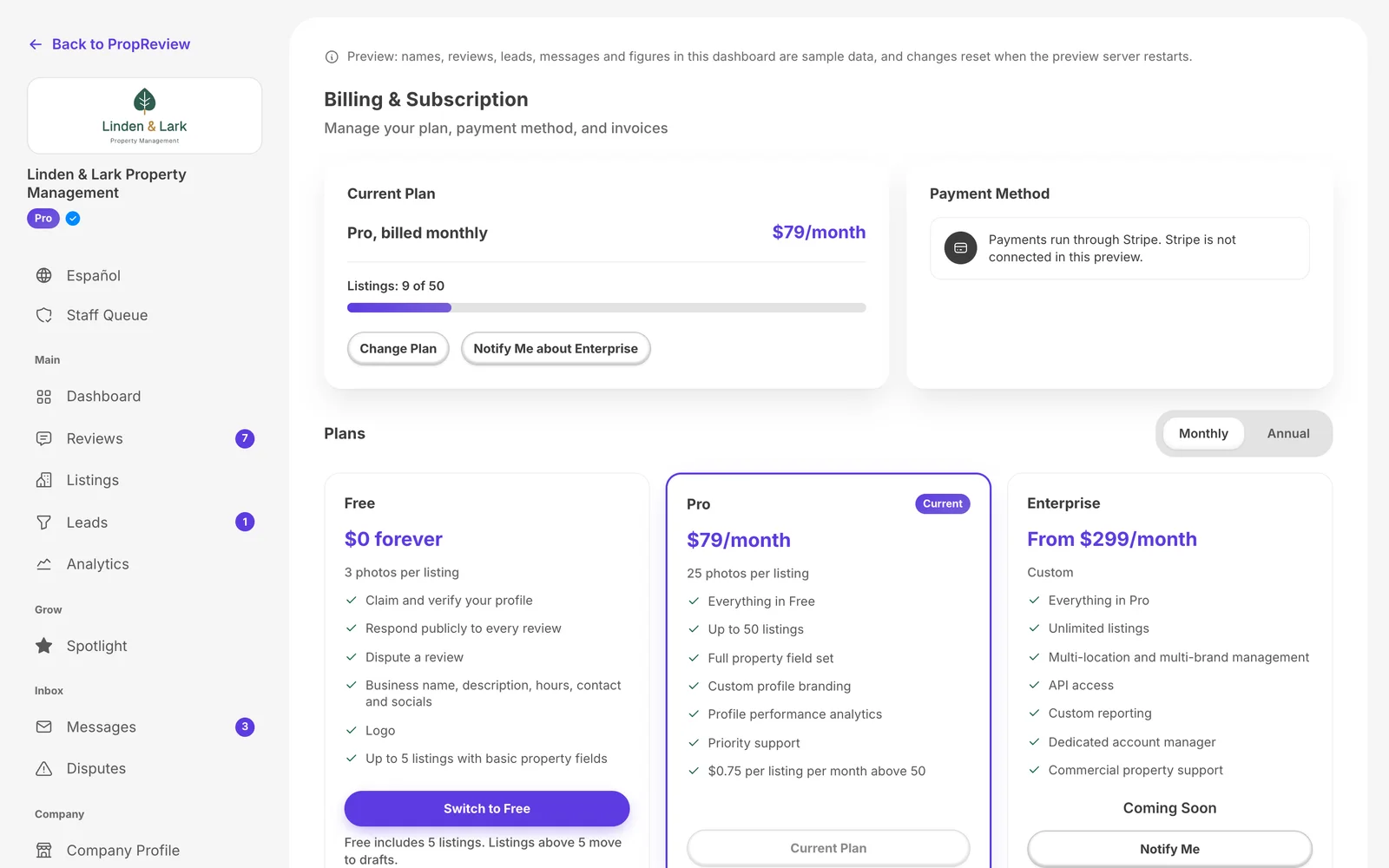
Free, Pro and Enterprise plans laid out side by side, with a billing page in every company dashboard.
Spotlight ads
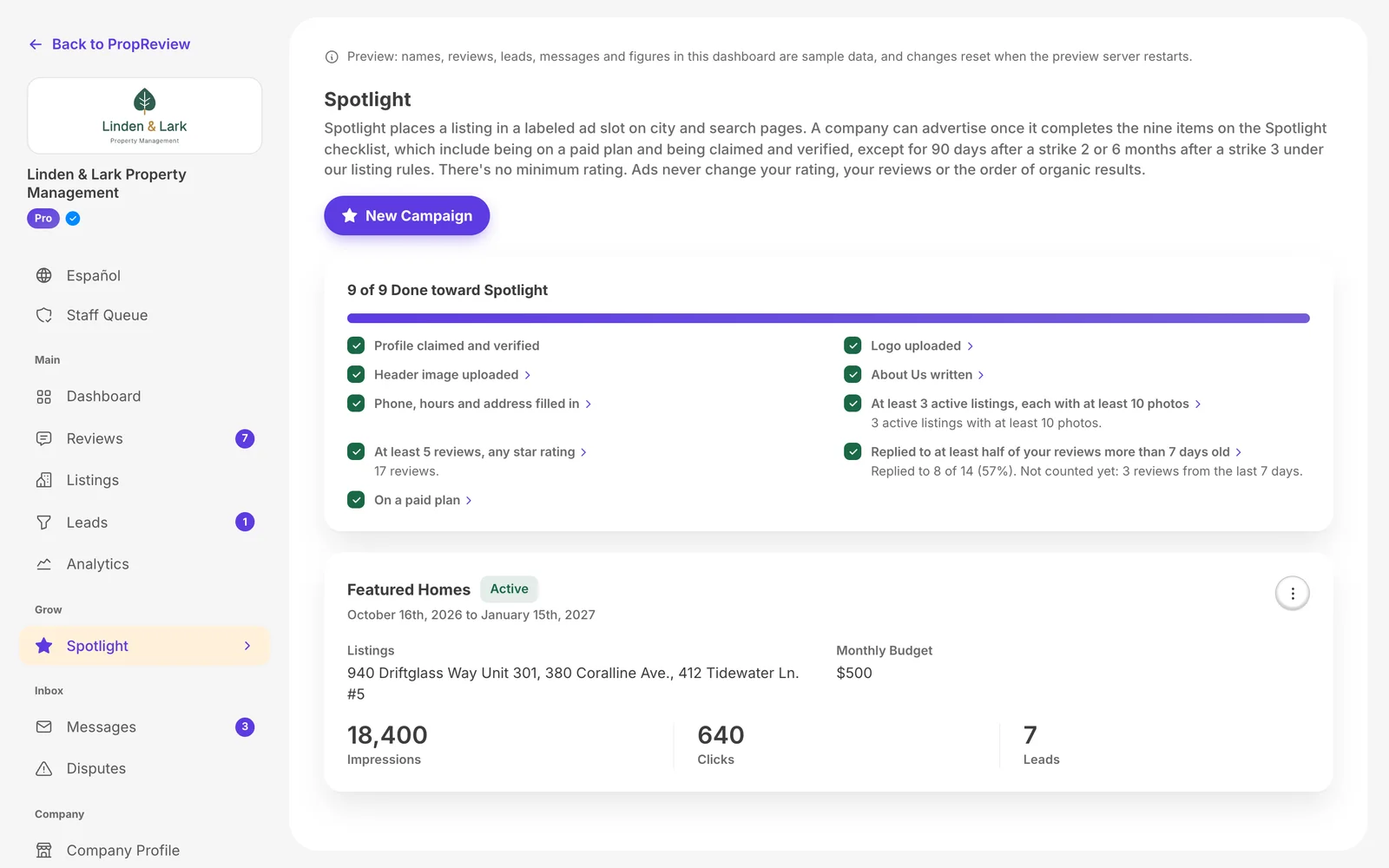
Paid placement for companies, built so ads are labeled and never change a rating, a review or the order of results.
Brand system
A violet chosen for contrast, teal and gold beside it, and a type pairing picked partly for numbers that hold steady in ratings and prices.
Reviews in five parts
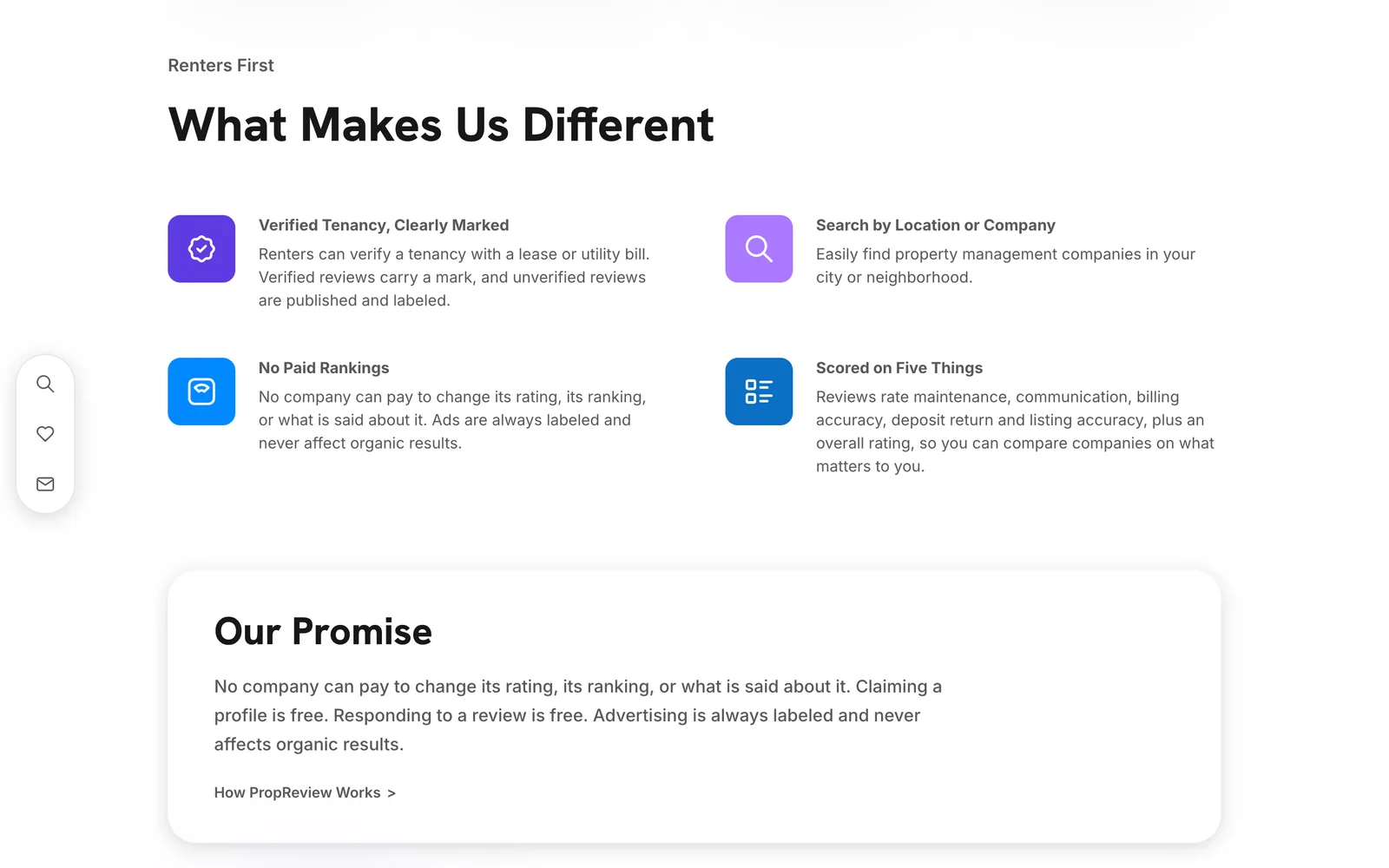
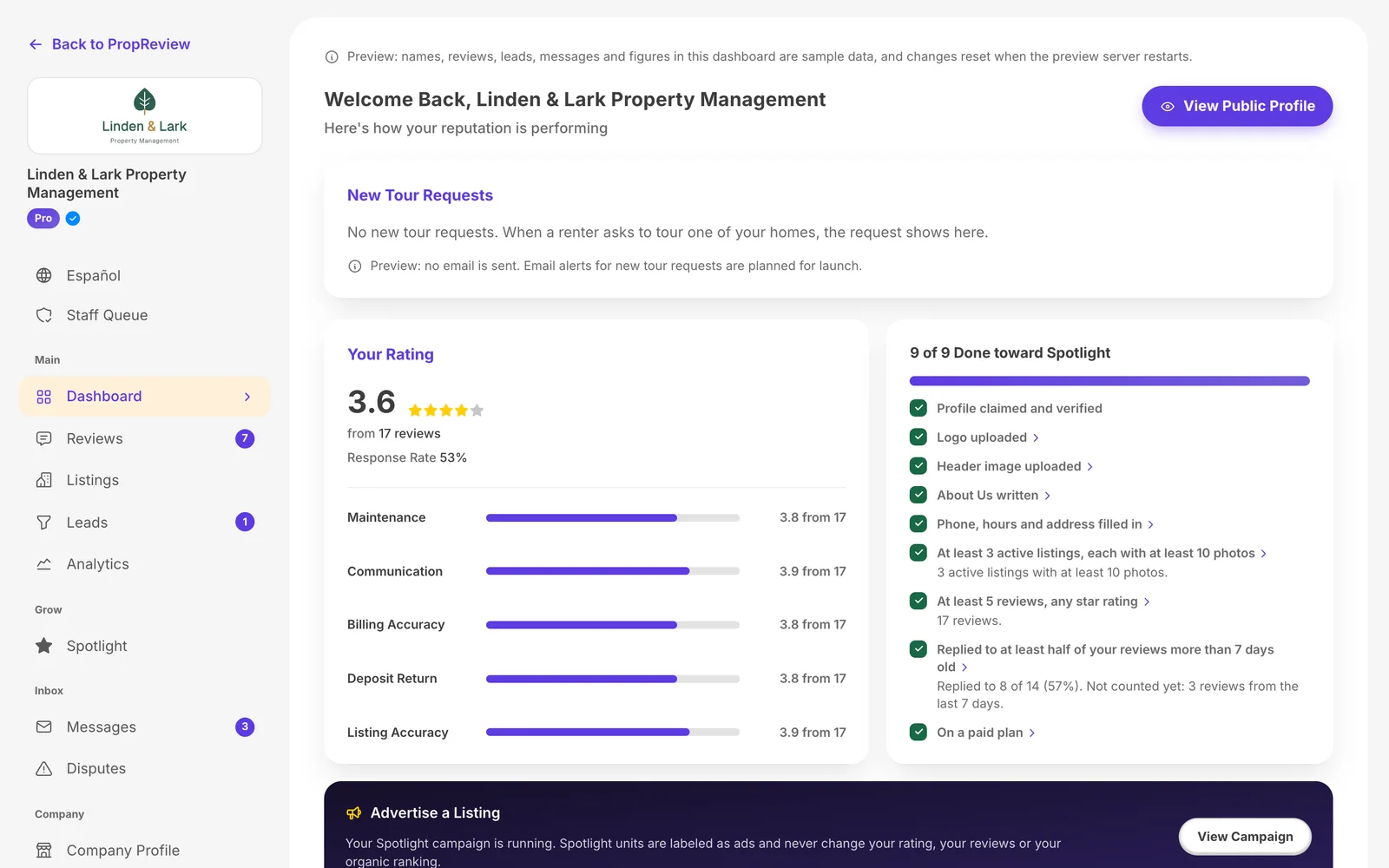
Maintenance, communication, billing accuracy, deposit return and listing accuracy, each rated on its own.
Company profiles
Free profiles that companies can claim, answer reviews from and post listings to.
Company dashboards
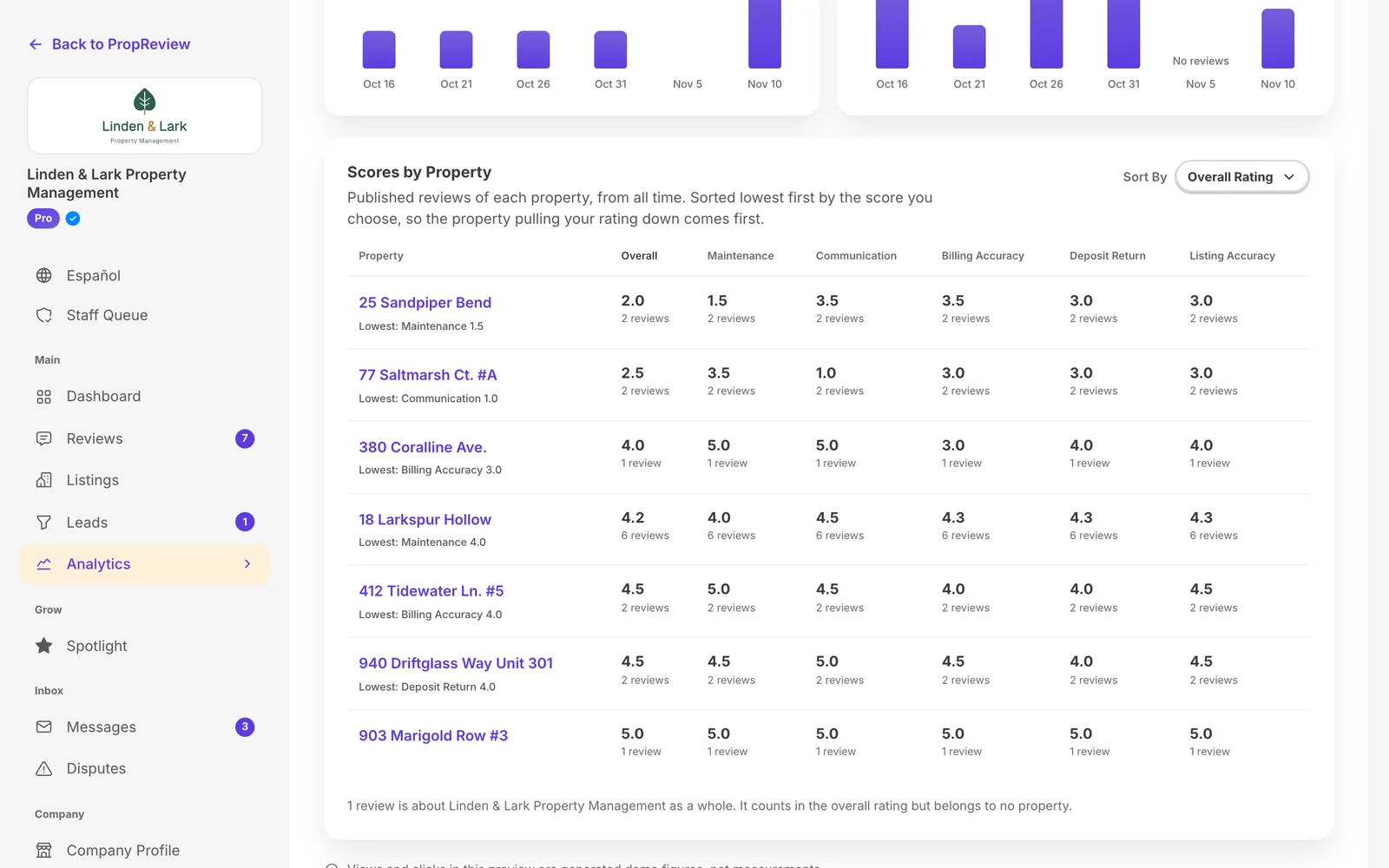
Leads, analytics, team roles and scores for every property, so a company can find which home is pulling its rating down.
Listing pages
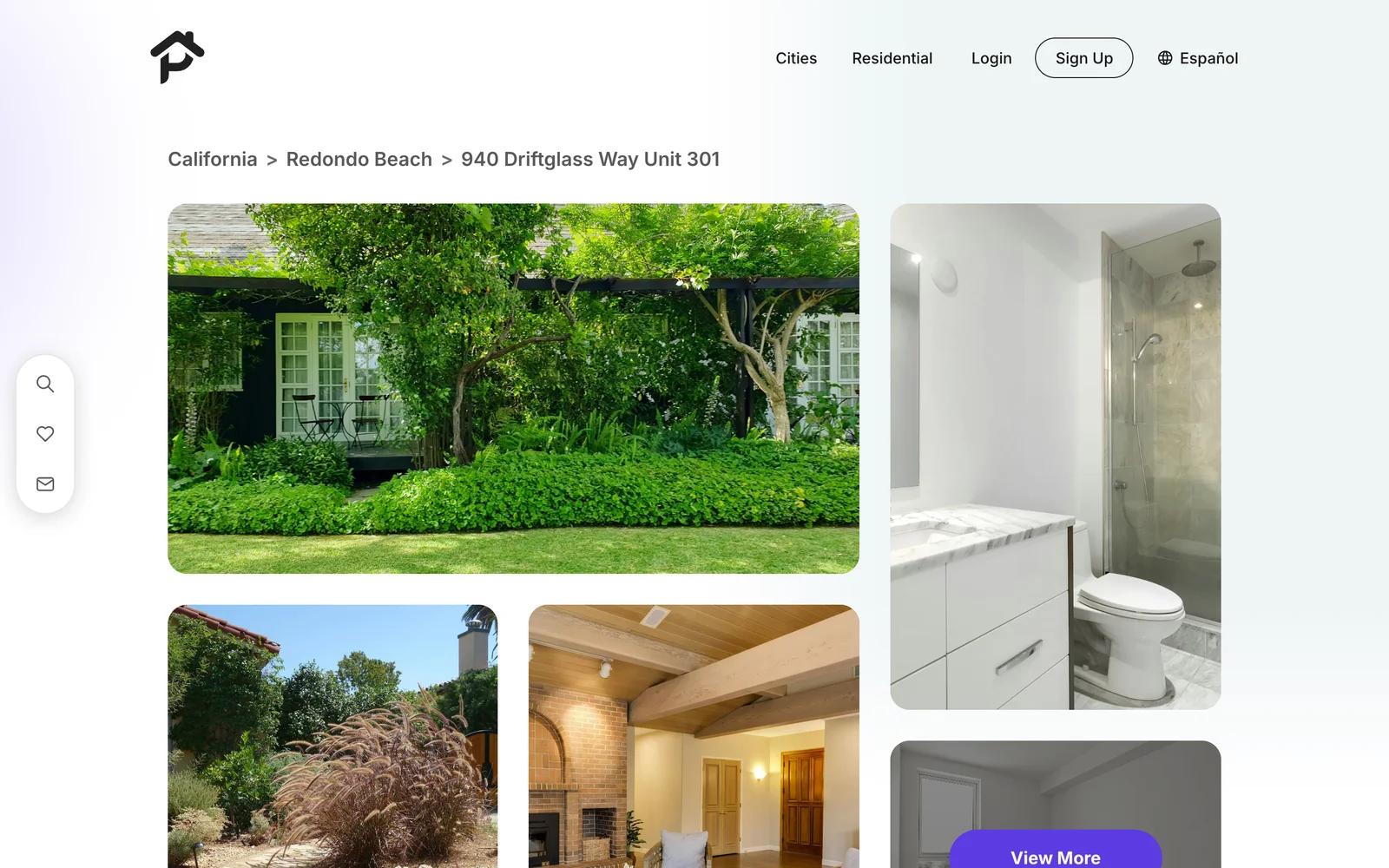
Photos, the home's details and its reviews in one place, with a monthly price that includes required fees and a way for renters to report one that doesn't.
Disputes
A dispute flow for companies, with one appeal for each side, decided by a different staff member.
English and Spanish
Every page renters and companies see works in both languages, dashboards included.
The website
Every page designed and built: the homepage, search, listings and company pages for renters, dashboards for tenants and companies, and a review queue for staff, from a phone up to a wide desktop.
SEO groundwork
Titles, descriptions and share images on every public page, a sitemap, and private pages kept out of search, in both languages.
Paid ads
Next, once the site is live.
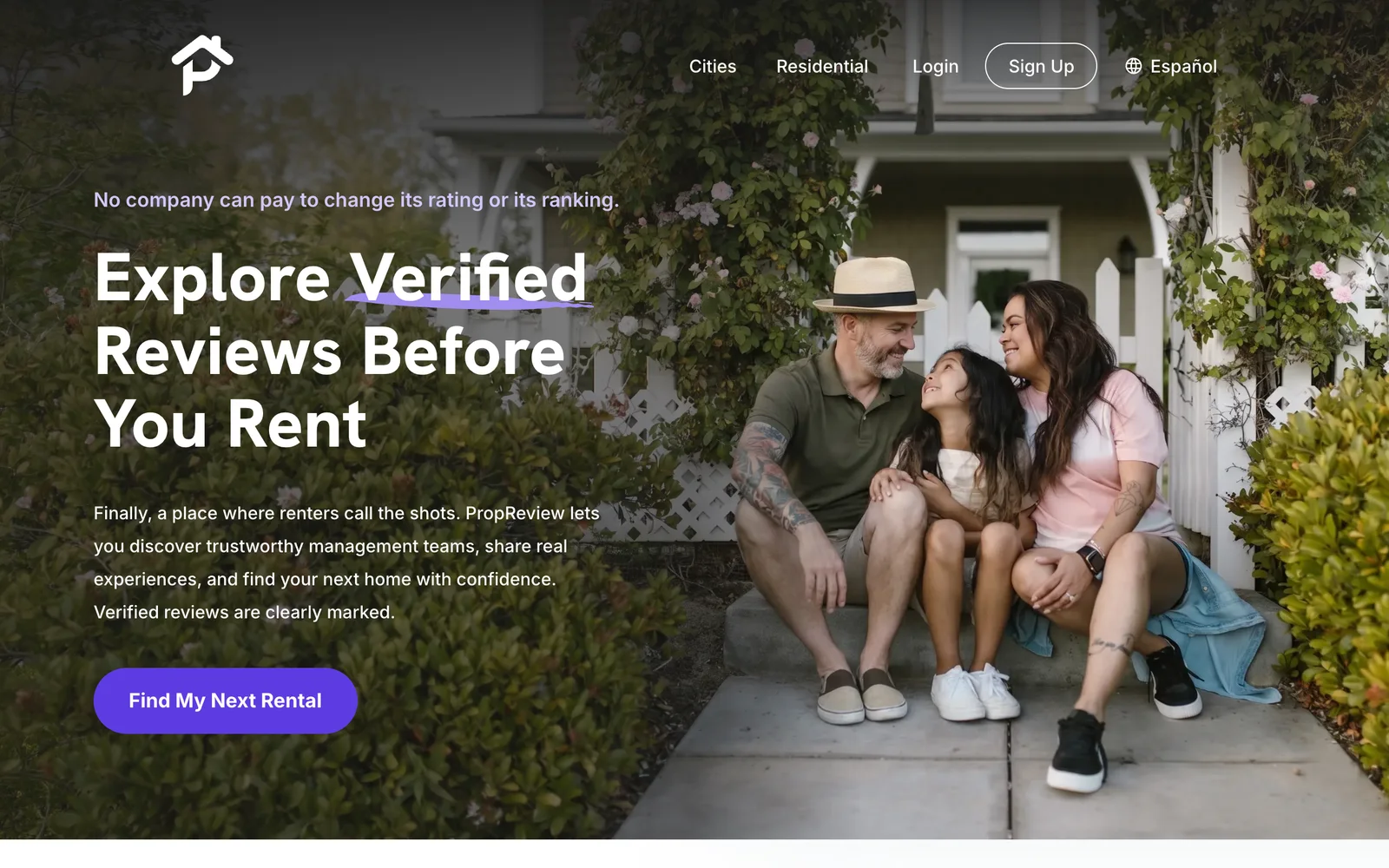
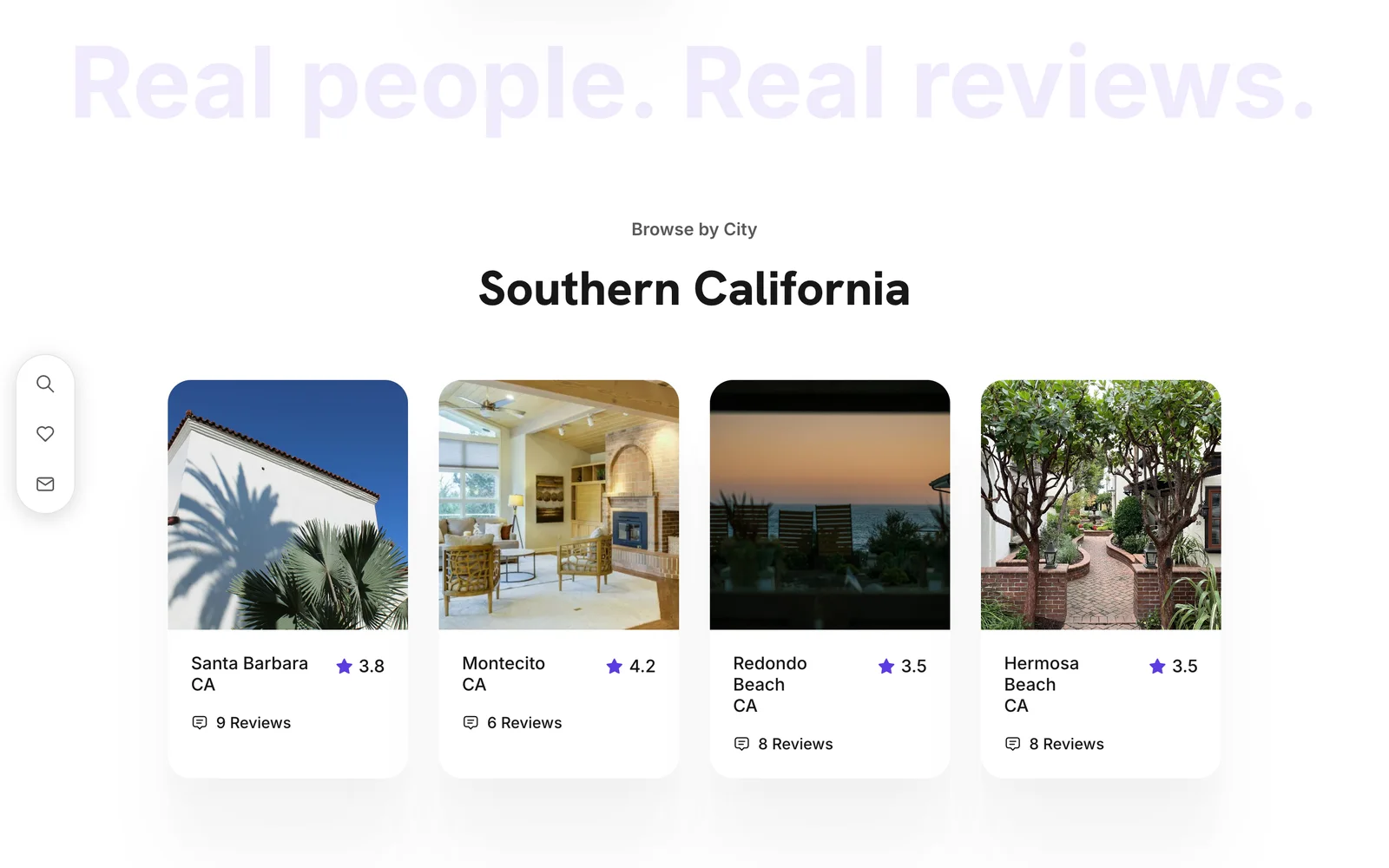
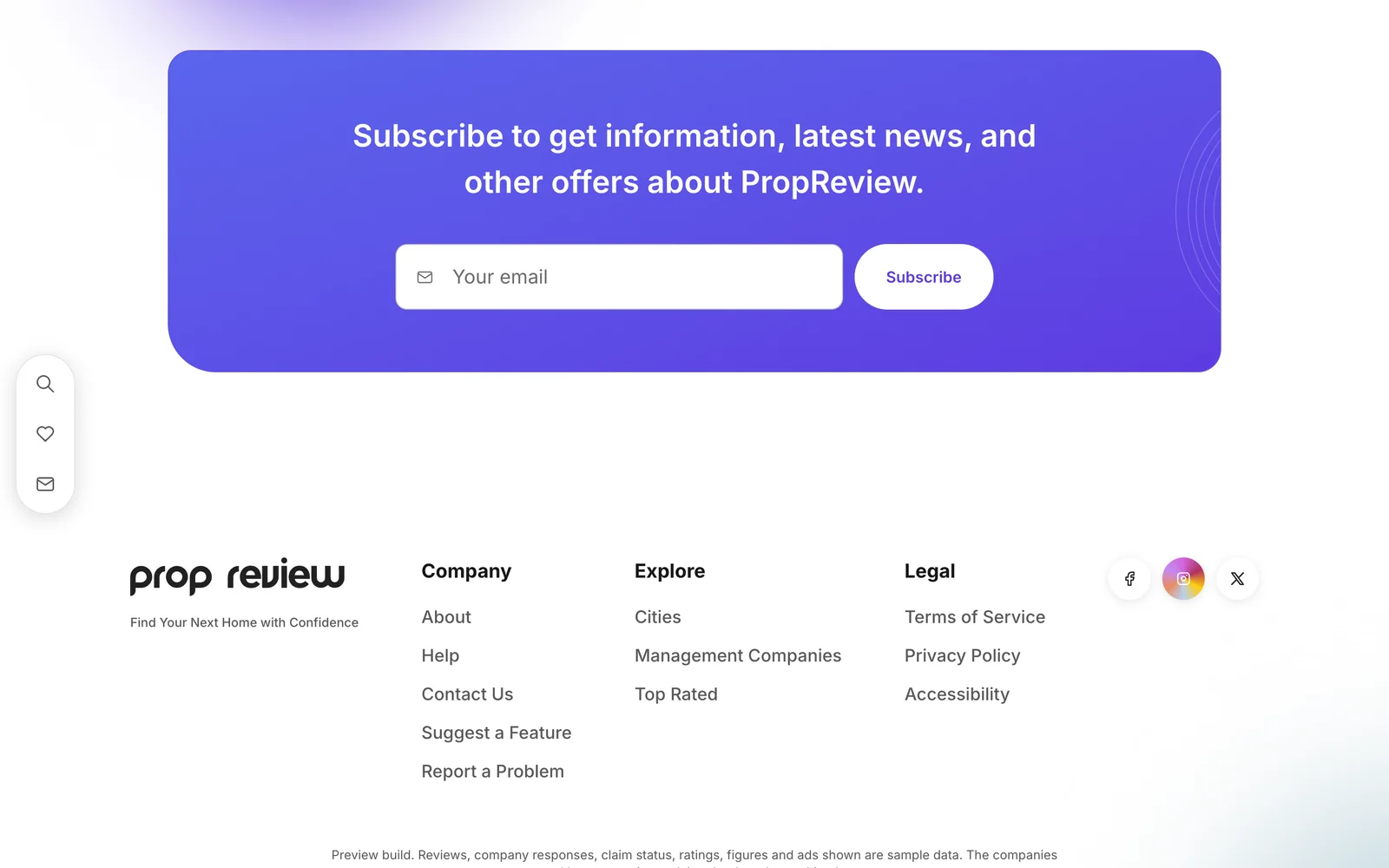
A preview of the site.
The site isn't live yet. These screens are from the working build, shown with sample companies, invented addresses and stock photos.